
Digital Signage Media Players
A media player is the small device that plays your content on a screen. Plug one into a commercial display or TV, connect it to SignageTec cloud software, and manage what it shows from anywhere.
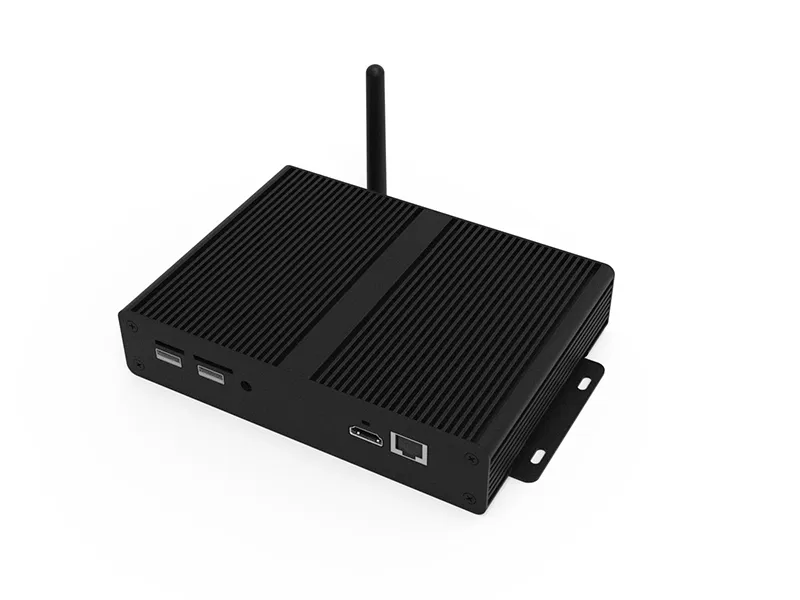
What is a digital signage media player?
A digital signage media player is a small computer that connects to a screen, usually by HDMI, and plays the content you schedule in your signage software. It downloads content over the internet and stores it locally, so the screen keeps playing even if the connection drops. Some commercial displays have a player built in.
When you need a media player
Using existing screens
Turn screens you already own into managed digital signage.
Video walls
Drive multi-screen layouts from one player or controller.
Multi-site rollouts
A standard player at every site keeps set-up and support simple.
Live data
Show dashboards, feeds and web content that need more processing power.
What to expect
Simple set-up
Connect the player, link it to your account and it is ready to receive content.
Offline playback
Content is stored on the device so screens keep playing through outages.
Wi-Fi or wired
Connect over Wi-Fi or Ethernet, depending on your site.
Remote monitoring
See which players are online from the cloud dashboard.
Scheduling
Plays the right content at the right time, automatically.
Set-up help
Our team helps you get players connected and content playing.
Choosing a player
- 1Check whether your screen already has a built-in player (many commercial displays do).
- 2Match the player to your content: video walls and 4K video need more power than slideshows.
- 3Plan the network connection at each screen position.
- 4Standardise on one model across sites to make support easier.
How we deliver your project
Step 1
Free consultation
Tell us about your site and goals. We recommend screens, software and set-up to suit your budget.
Step 2
Supply
Commercial displays, mounts and media players, specified for your location.
Step 3
Installation
Fitting, connection and testing, arranged around your opening hours.
Step 4
Content and support
We help set up your first content in the cloud software and support you afterwards.
Frequently asked questions
Do I need a media player for every screen?
Usually one player drives one screen, unless the screens show the same content or form a video wall. Some commercial displays have a player built in, so no separate device is needed.
Will a media player work with my TV?
Most media players connect by HDMI, so they work with most screens. For long daily running hours we recommend commercial displays rather than consumer TVs.
What happens if the internet goes down?
The player keeps playing the content it has already downloaded and picks up updates when the connection returns.
Get a quote for media players
Tell us about your site and what you want your screens to do. Our London team will recommend the right displays, software and installation.