Online businesses know exactly what their customers think, because every click and review is recorded. Physical shops, branches and venues often have no idea until a complaint arrives or a regular stops coming. A touch screen feedback kiosk is a simple way to close that gap and hear from customers while they are still in the building.
Why ask for feedback in store?
Surveys printed on receipts or sent by email days later get few replies, and the replies tend to come from customers who had either a very good or a very bad experience. A kiosk near the exit or till asks at the moment the experience is fresh, takes seconds to answer and needs no app, login or QR code.
That makes it useful for:
- Shops and showrooms wanting to understand service, stock availability and store layout.
- Bank and building society branches measuring how customers feel about queues and advice.
- Restaurants and cafés checking food quality and speed of service.
- Clinics, receptions and public services gathering patient or visitor satisfaction.
What should you ask?
The golden rule is to keep it short. Every extra question reduces the number of people who finish.
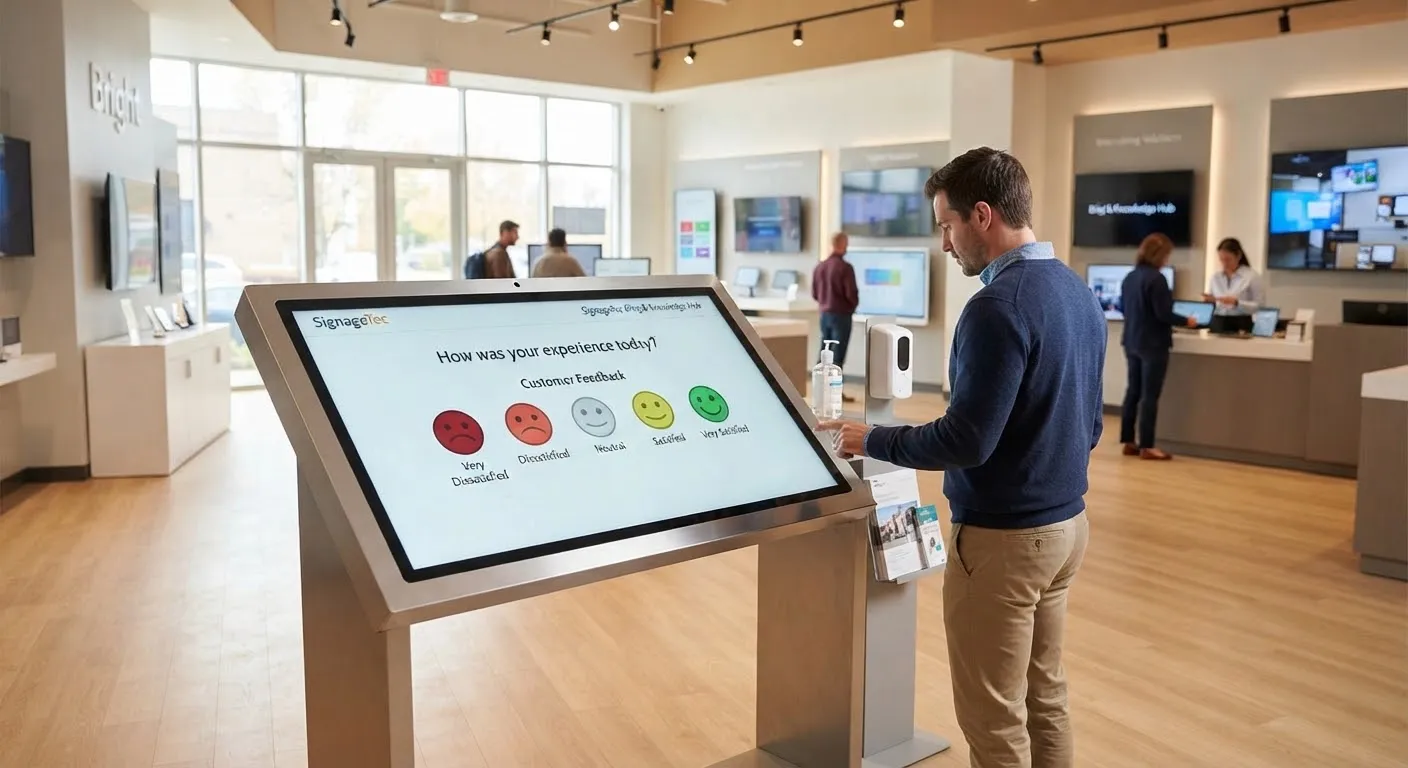
- A single headline question. For example, “How was your visit today?” with five faces from unhappy to delighted. One tap is enough to give you a useful score.
- One optional follow-up. If someone taps an unhappy face, ask what went wrong, using a short list of options such as waiting time, staff, product availability or cleanliness.
- An optional comment or contact box. Let customers leave a comment, or their email if they want a reply. Never make this required.
Change your questions occasionally to explore a specific issue, such as a new store layout or a seasonal promotion, but keep your headline question the same so you can compare results over time.
Choosing the right kiosk
Placement
Put the kiosk where customers naturally pause: near the exit, the till or the waiting area. It should be visible, but never block a walkway or fire exit.
Hardware
Look for a commercial touch screen designed for public use. A capacitive (PCAP) touch screen feels like a smartphone and responds well to quick taps. Freestanding kiosks suit shop floors and lobbies, while wall-mounted or desktop screens work well on counters.
Accessibility
Place the touch area at a comfortable height, use large buttons with clear labels and good colour contrast, and avoid relying on colour alone to show meaning. Think about customers using wheelchairs and those with limited vision.
Hygiene
Choose screens that can be cleaned with standard screen-safe wipes and add cleaning to your daily routine.
Turning feedback into action
Collecting scores is the easy part. The value comes from what you do next:
- Review results weekly. Look at trends by branch, day and time rather than individual answers.
- Compare locations. If one branch scores consistently lower, find out why.
- Close the loop. Reply to customers who asked for a response, and tell staff what customers are praising as well as what needs fixing.
- Show customers you listened. A message on your in-store screens such as “You said, we did” builds trust and encourages more people to respond.
Data protection
If your kiosk collects names, email addresses or comments that could identify someone, that is personal data under UK GDPR. Explain on screen why you are collecting it, only ask for what you need and make sure the data is stored securely.
Getting started
SignageTec supplies commercial touch screen kiosks in freestanding, wall-mounted and desktop formats, and can set up feedback screens to match your brand. See how different sectors use them on our industries page, or contact us to discuss your project.