A printed menu board is out of date the moment a price changes, a dish sells out or a new promotion starts. For restaurants, cafés and quick service restaurants (QSRs), that means reprinting, waiting for the new panels and paying for the privilege. Digital menu boards remove that cycle, and when they are planned well they also help customers choose faster and spend more.
This guide explains what digital menu boards can do, what to look for when you buy, and how to get the most from them.
What is a digital menu board?
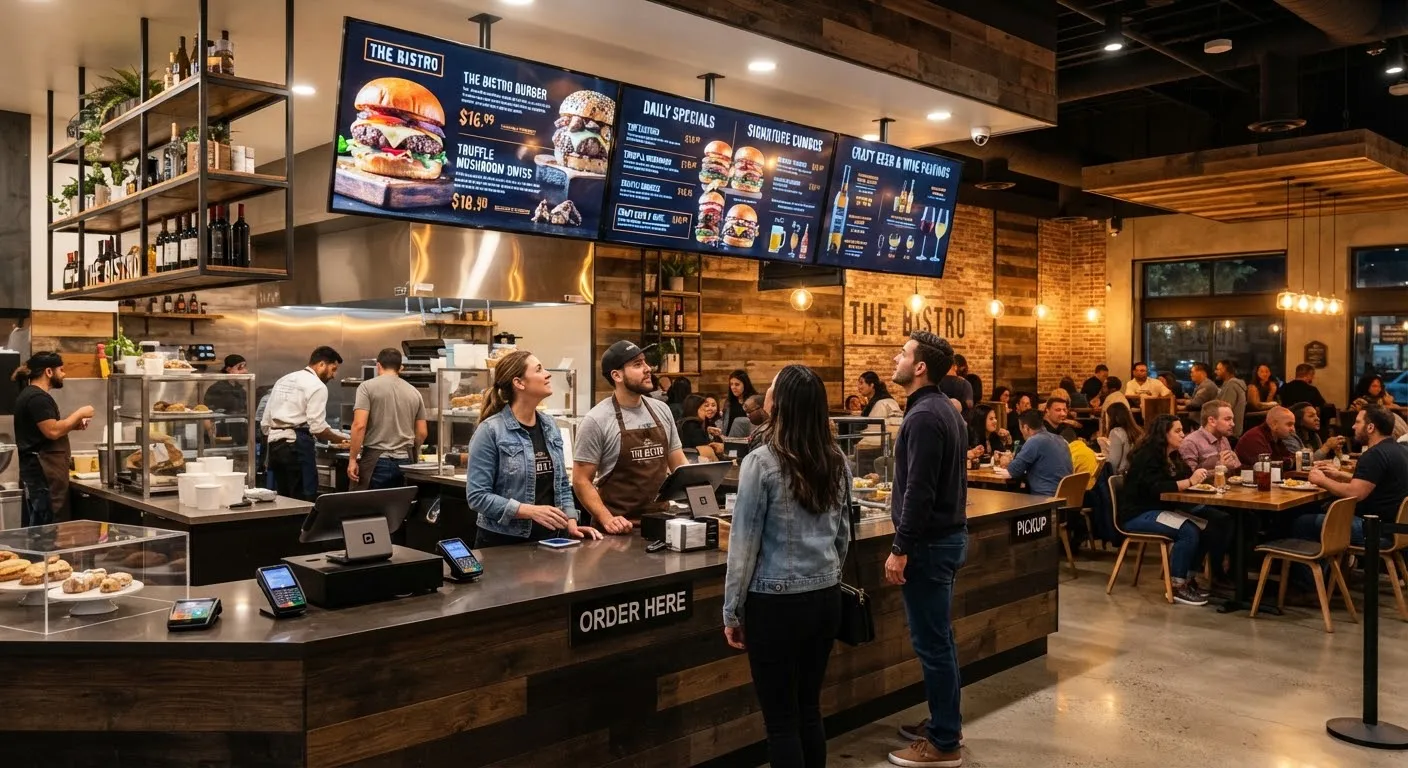
A digital menu board is a commercial display, usually mounted above the counter or at the drive-thru, that shows your menu as on-screen content instead of printed panels. The content is managed from a cloud content management system (CMS), so you can change it from a laptop or phone and push it to one screen or every branch at once.
Why restaurants switch to digital menus
Change prices and items in minutes
When suppliers put prices up or an item runs out, you update it once in the CMS and every screen shows the change. There is nothing to print, laminate or fit, and no risk of one branch still showing last month’s price.
Show the right menu at the right time
Dayparting means scheduling different content for different parts of the day. Breakfast items can appear until 11am, lunch deals take over at midday and evening specials appear after 5pm, all automatically. Staff no longer need to swap panels, and customers only see what they can actually order.
Put your best items in front of customers
The top-left of a menu board and anything that moves gets noticed first. A digital board lets you use that space for high-margin combos, meal deals and add-ons, and change them whenever you like. A short looping video of a new dessert or drink is far more eye-catching than a static photo.
Keep allergen and calorie information accurate
In England, large food businesses must show calorie information on menus, and every food business must be able to give customers accurate allergen information. Because digital boards are updated from one place, it is easier to keep this information consistent across sites when recipes change.
What to look for when you buy
Commercial-grade screens
Menu boards often run for 12 to 18 hours a day in warm kitchens. Consumer TVs are not designed for this. Commercial displays are built for long daily use, can be installed in portrait or landscape and come with warranties that cover business use. Browse our commercial displays for screens designed for this kind of work.
Brightness for your location
Screens behind a counter usually need standard indoor brightness. Drive-thru boards and screens facing a sunny window need high-brightness panels so the menu stays readable in daylight.
Easy-to-use software
Whoever updates the menu, whether a manager or head office, should be able to do it without technical training. Look for templates, scheduling, the ability to group screens by branch and a preview of exactly what will appear on screen.
Reliable playback
Good systems keep playing the last downloaded content if the internet drops, so your menu never goes blank in the middle of a lunchtime rush.
Planning your menu board layout
- Keep it readable. Use large text, strong contrast and no more than a handful of items per screen.
- Group items logically. Mains, sides, drinks and desserts should be easy to find at a glance.
- Use motion sparingly. One animated promotion per screen draws the eye; too many become noise.
- Match your brand. Use your own colours, fonts and photography so the boards feel part of the restaurant.
- Plan for the queue. Customers should be able to read the menu from where they stand while waiting, not only at the till.
How much do digital menu boards cost?
The cost depends on the number of screens, their size and brightness, how they are mounted and whether you need content designed for you. A single-site café might start with two or three screens, while a chain will want a CMS that manages many branches together. The best way to get an accurate figure is to tell us about your site and menu.
Getting started
SignageTec supplies commercial menu board displays, the cloud software to run them and content design if you would like us to create your menus. We work with restaurants, cafés and takeaways across the UK. Find out more on our industries page, or request a free quote and we will recommend the right set-up for your counter.