
Turn Your TV into Digital Signage with the SignageTec App
You don't need to buy new screens to get started. Most of our customers install the SignageTec player app on an Android TV they already own, pair it with a 6-digit code and manage it from a web browser. Buying hardware from us is optional.
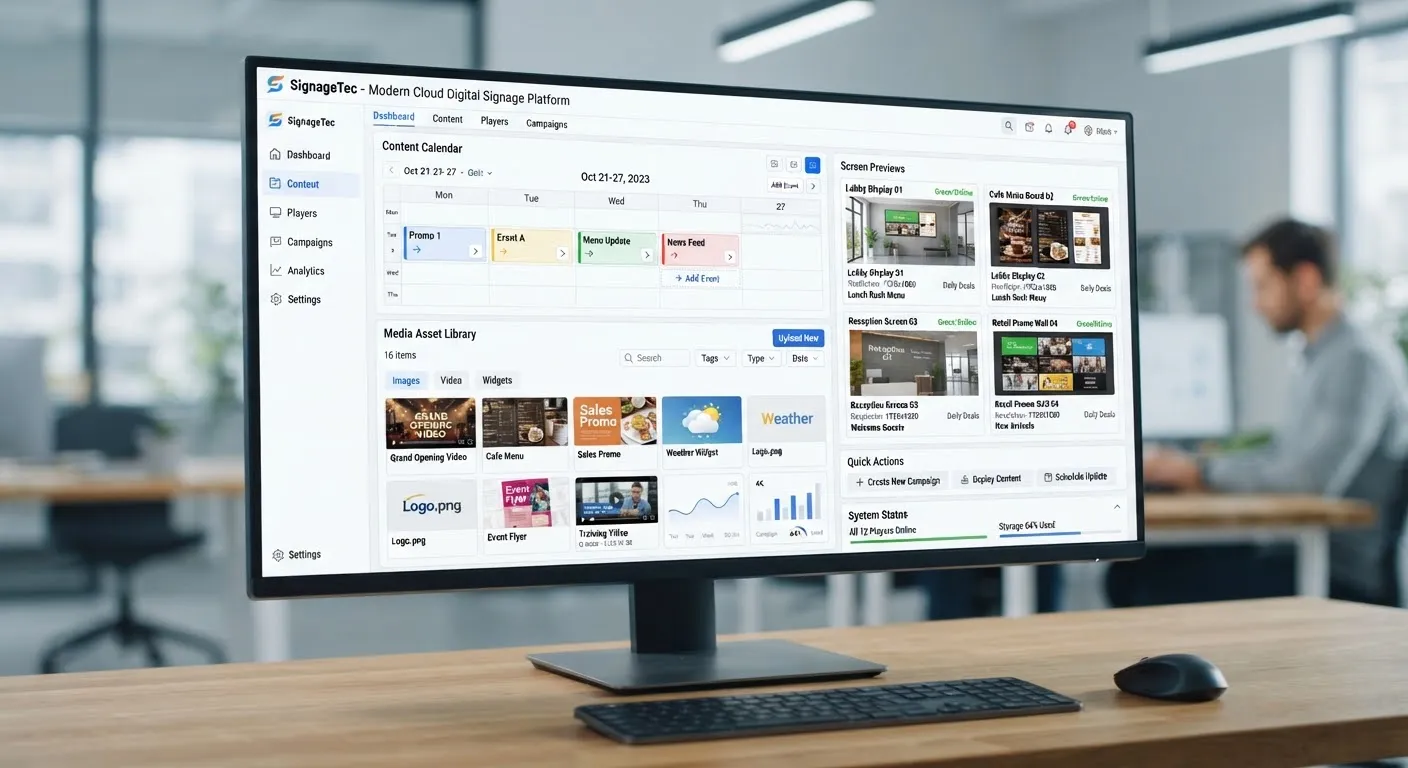
Can I use a normal TV for digital signage?
Yes. A TV becomes digital signage when it runs a player app that connects to cloud software. Install the SignageTec player on an Android TV, or plug a Fire TV Stick 4K or small media player into any TV with HDMI, pair it with a 6-digit code, and you can schedule and update its content from any web browser.
Good places to start with a TV you already have
Cafés and takeaways
Turn the TV behind the counter into a menu board you can update from your phone.
Receptions and waiting rooms
Show welcome messages, services and notices instead of daytime TV.
Shop floors
Promote offers and new products near the till.
Staff rooms and offices
Share news, rotas, safety messages and targets.
Devices the SignageTec player runs on
Android TV
Android TV OS 8.0 and later, including many TCL and Sony TVs. Install the app on the TV itself.
Amazon Fire TV Stick 4K
Plug into any TV with a spare HDMI port, including TVs that are not smart.
Windows
Windows 10, 11 and IoT Enterprise PCs driving a screen.
Raspberry Pi
A low-cost player for Raspberry Pi 4 and Pi 5.
Samsung and LG commercial displays
Samsung Tizen (Smart Signage) and LG webOS commercial screens.
One cloud dashboard
Every device appears in the same account, with scheduling, layouts and remote monitoring.
Before you start
- 1Check what your TV runs. Android TVs can install the app directly; other TVs need a Fire TV Stick or media player.
- 2Turn off the TV's sleep and eco timers, and set the app to open on start-up.
- 3Use a network cable where you can; Wi-Fi works but a cable is more dependable.
- 4For shop windows, outdoors or all-day running, use a commercial display built for the job.
How we deliver your project
Step 1
Free consultation
Tell us about your site and goals. We recommend screens, software and set-up to suit your budget.
Step 2
Supply (optional)
Commercial displays, mounts and media players, specified for your location, if you need them.
Step 3
Installation
Fitting, connection and testing, arranged around your opening hours. Already have an Android TV? Install our app yourself.
Step 4
Content and support
We help set up your first content in the cloud software and support you afterwards.
Frequently asked questions
Do I have to buy hardware from SignageTec?
No, it is optional. Most customers already have an Android TV and install our app themselves. If you want new screens or a media player, we can supply and install them for you.
How do I connect the TV to my account?
Open the player app and it shows a 6-digit code. Enter the code in your SignageTec dashboard and the TV is paired. There are no network settings to configure.
Will a normal TV work in my shop window?
Usually not well. Consumer TVs look washed out in sunlight behind glass. A high-brightness window display stays readable and is built for long running hours.
Does the TV need to be online all the time?
It needs internet to receive new content, but it stores what it has and keeps playing if the connection drops.
Get a quote for digital signage app for tvs
Tell us about your site and what you want your screens to do. Our London team will recommend the right displays, software and installation.