Waiting rooms are where patients spend much of their visit, often feeling anxious and unsure how long they will be there. Walls covered in old posters and handwritten notices do little to help. Digital signage gives clinics, GP surgeries, dental practices and hospitals a clearer, more flexible way to keep patients informed.
What healthcare providers use screens for
Patient information
Screens can show opening hours, how to book appointments, repeat prescription processes, vaccination clinics and seasonal campaigns. Because the content is updated centrally, every waiting room shows the same accurate information, and old messages disappear when they expire.
Waiting and calling information
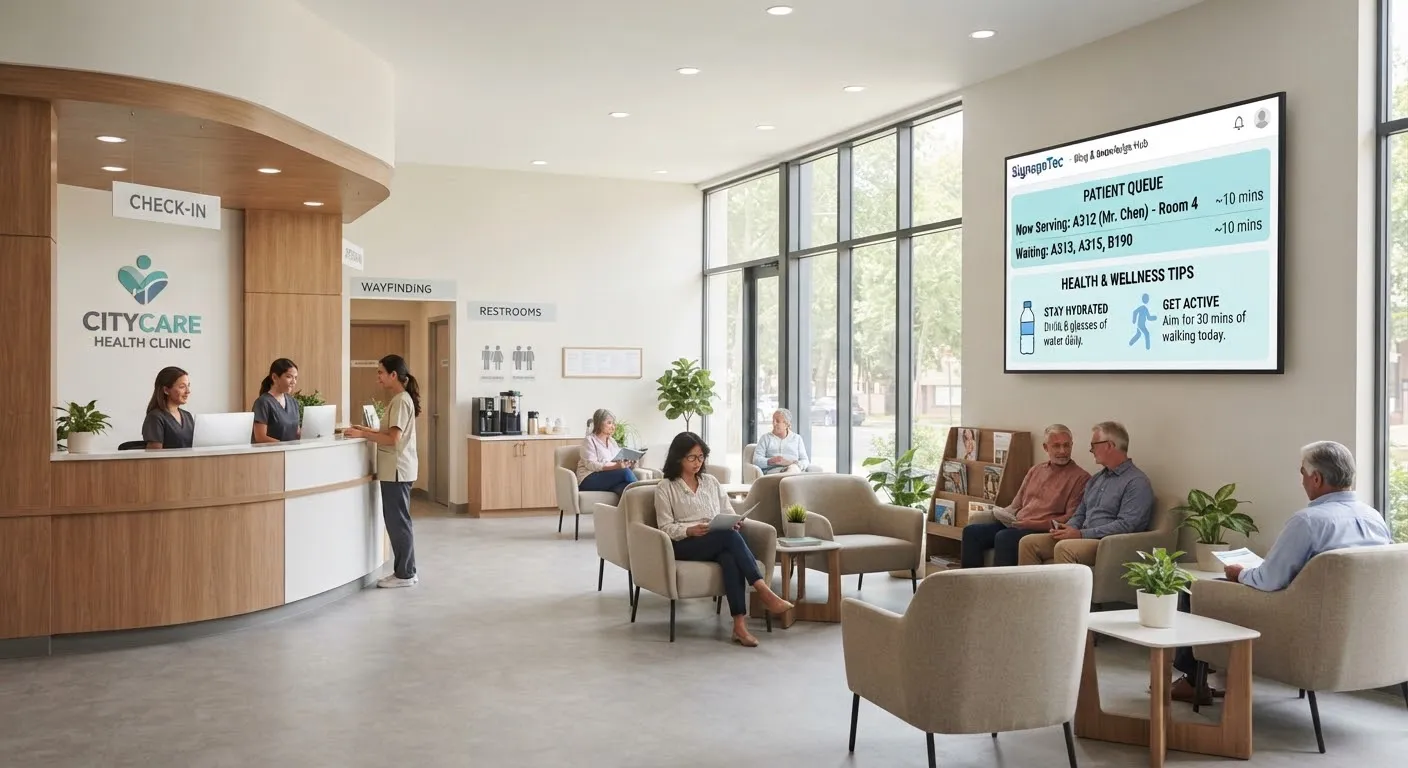
Where your systems allow it, screens can show general waiting time guidance or call patients to rooms. Even simple messages such as “Clinics are running about 20 minutes late this afternoon” help patients feel informed rather than forgotten.
Wayfinding
Large sites can be confusing. Screens at entrances and junctions can show maps, directions to departments and changes such as temporary closures, and can be updated as soon as anything changes.
Health promotion
Short, clear messages about healthy living, screening programmes and local services turn waiting time into useful time. Content can be scheduled, so the flu vaccination message runs in autumn and the hay fever advice runs in spring.
Staff communication
Screens in staff areas can share rotas, training reminders, announcements and recognition without adding to email inboxes.
Planning content for a waiting room
- Keep messages short. Patients glance up between other thoughts. One idea per slide works best.
- Use plain English. Avoid jargon and abbreviations, and consider your community’s languages.
- Mind the pace. Slides that change too fast are hard to read; too slow and people miss them.
- Make it accessible. Use large text and strong contrast, add captions to any video and avoid relying on sound.
- Keep it calm. Waiting rooms are not shop windows. Gentle, clear designs work better than busy animation.
Practical considerations
Hardware
Choose commercial displays designed for long daily use. In busy areas, mount screens out of reach and use secure brackets. Touch screens for check-in or feedback should be easy to clean with standard screen-safe wipes.
Placement
Put screens where patients naturally look while waiting, without blocking signage, fire exits or clinical areas, and avoid placing them where glare from windows makes them hard to read.
Privacy
Never show patient names or clinical details on a public screen unless you are certain your process meets your data protection obligations. Calling systems commonly use ticket numbers or initials for this reason.
Who updates the screens
Decide who owns the content. A practice manager might update local notices, while a central communications team manages campaigns across sites. A cloud CMS with user permissions makes this straightforward.
Keeping content fresh
The biggest risk with any screen is that it becomes wallpaper. If patients see the same slides every visit, they stop looking. Plan a simple content calendar that follows the seasons and your local priorities, remove messages as soon as they expire and refresh designs every few months. Short notices with an end date, such as a clinic closure or a change to opening hours, can be scheduled to appear and disappear automatically, so the screens never show yesterday’s news.
Ask staff and patients what they would find useful. Their answers often point to simple, practical information, such as how to request a fit note or where to park, that makes a real difference to the day.
Getting started
SignageTec supplies commercial displays, touch screens and the cloud software to run them, and can design content for your waiting areas. See how screens are used across sectors on our industries page, or get in touch to talk about your sites.